
You can get instant answers about research, how to cite sources, accessing our collections, using our services and spaces, and more by using the “Library Ask Us” chat service offered by the Robertson Library.
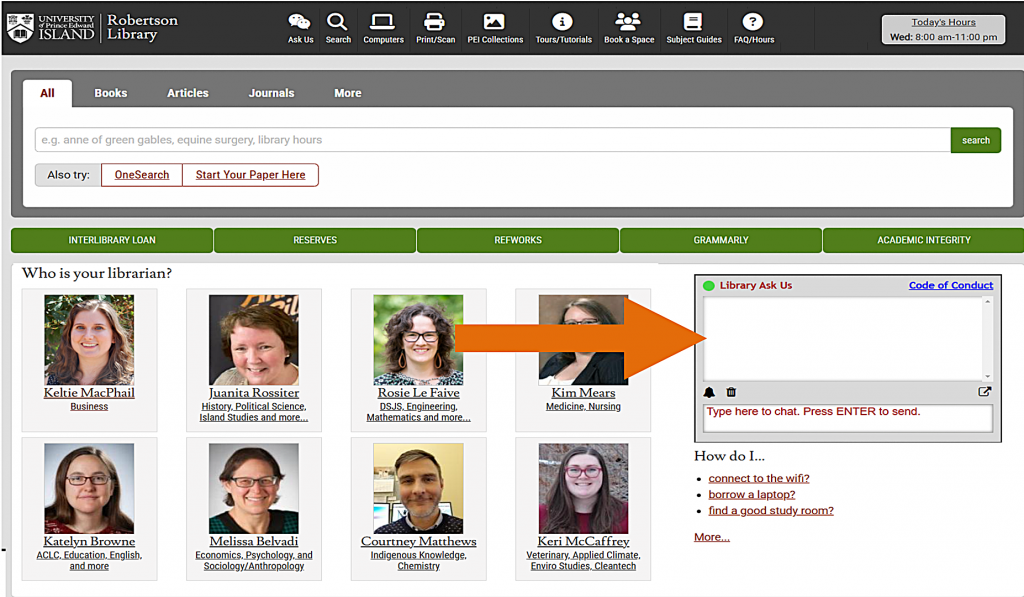
You can access the "Ask Us" chat box on the library homepage, located to the right of the list of librarians.
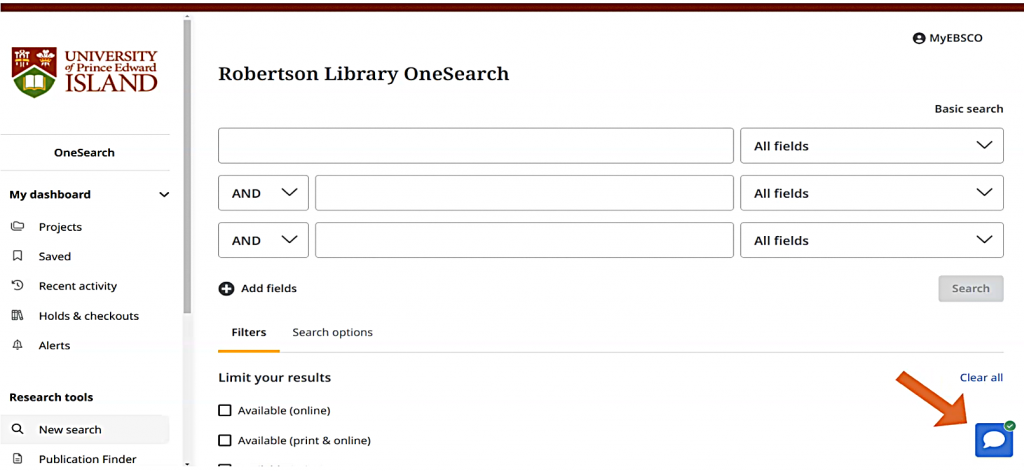
When using OneSearch, you can click on the blue chat bubble to open the chat box.
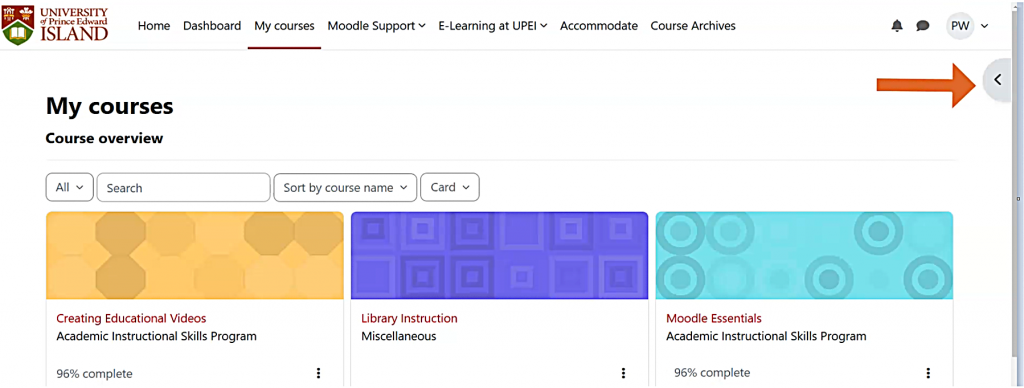
You can also find the Ask Us chat box on your Moodle account. Click on the block drawer on the right-hand side of your Moodle course page.
Then you will see the AskUS chatbox.
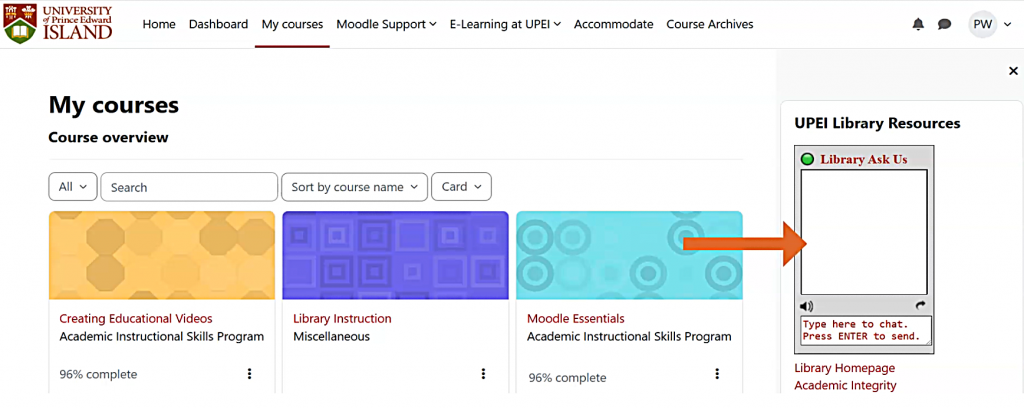
When you see the green circle at the top left corner of the chat box, a library staff member is live on the service, available to help you!
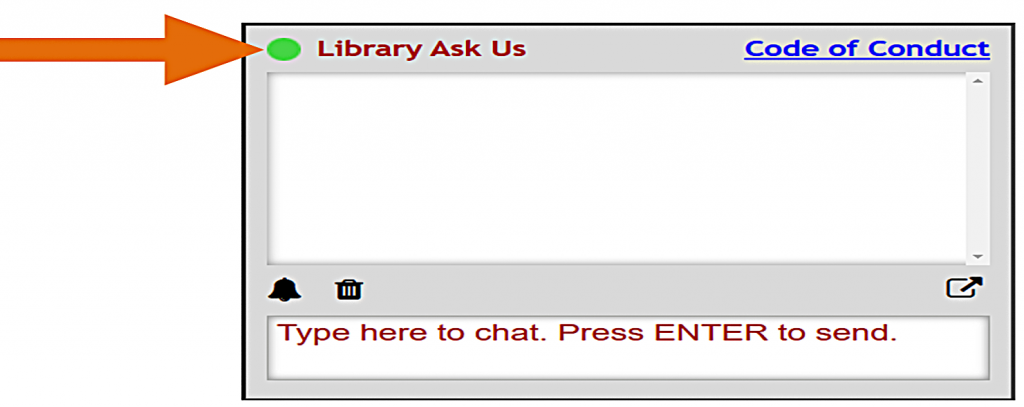
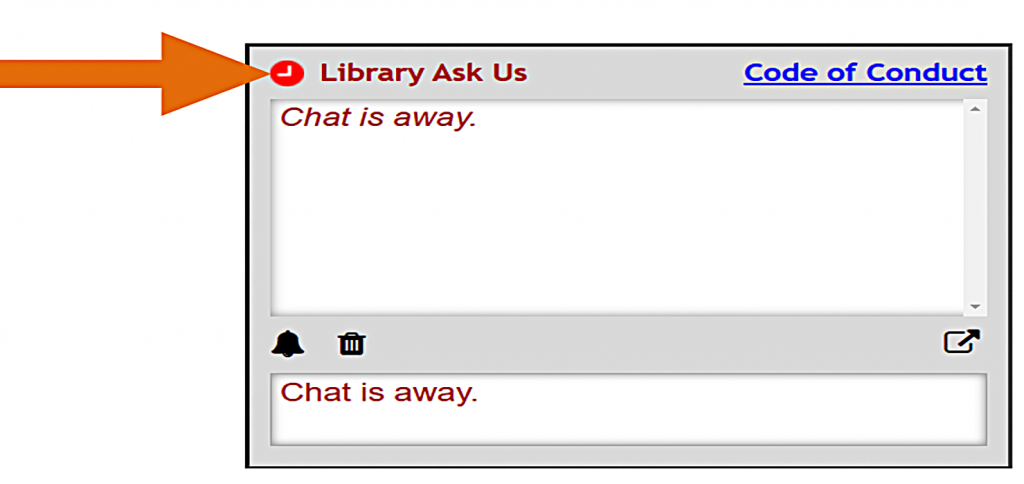
A staff member is usually available whenever the library is open, except for the first hour after the library has opened and the last hour before the library closes. If the circle is red or grey, that means that the chat is offline.
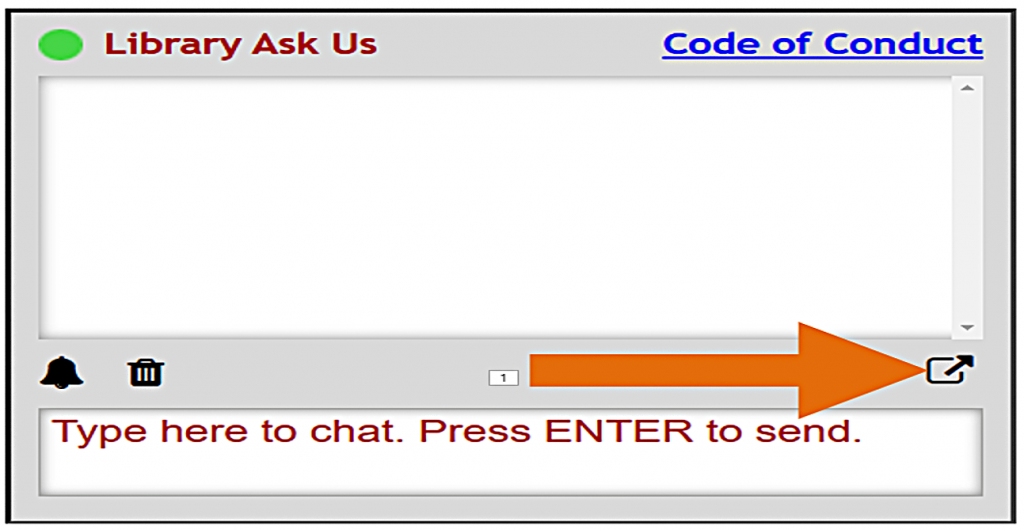
You can use the small curved arrow to "pop out" the entire chat box into a separate window, allowing you to resize it for better visibility.
Use the little envelope to email yourself the entire chat history for later use.

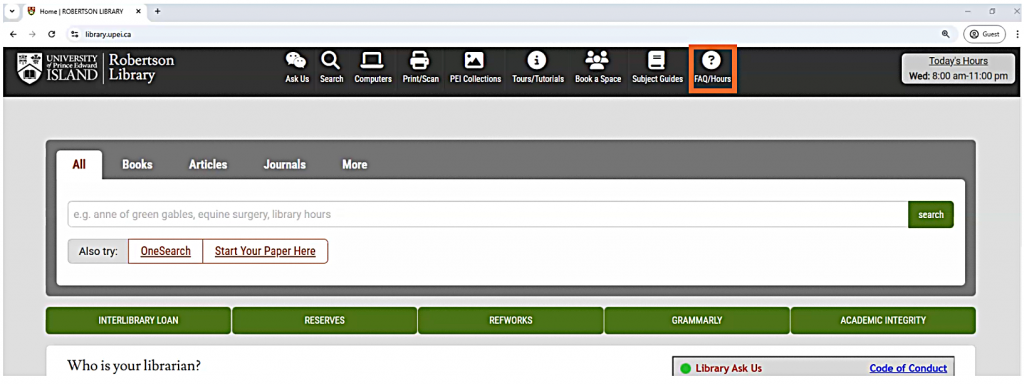
To check the Ask Us hours, click the FAQ/Hours Tab on the library website.
Remember, no matter how big or small the question, we are here to help!
A video version of this tutorial is also available.